Oracle CX · CPQ · Redwood Design System
How sellers actually decide, and the comparison pattern that came out of it
Try it yourself

What matters most to this buyer?
- Product A95% match
- Product B78% match
- Product C45% match
- Product D60% match
- Product E88% match
What we built
An agentic quote in Oracle Configure Price Quote: solutions generated from customer context and configured in natural language, plus a side-by-side comparison pattern sellers use to choose between them, researched against how people compare products everywhere else.
Impact
Accepted as an affiliate design project for the Redwood Design System, so other Oracle teams can adopt the pattern, and built and deployed in CPQ product demos.
The question
How does a seller determine what the right product is for a buyer?
The honest answer is that they translate technical product specs into natural language and compare that against what the buyer said they needed — in their head, across tabs, from memory. Every design decision on this project came back to making that translation cheaper.
What sellers are considering
- Buyer requirements
- Product specs
- Multiple products
- Available to promise
- Price & budget
- Seller compensation
Questions sellers ask
- 1What's best for the buyers?
- 2What's best for my company?
- 3What's best for me, the seller?
- 4What products are available?
Clarity of purpose
Clarity of purpose
As a Sales Representative I need to efficiently produce and share quotes with buyers in order to uncover unspoken requirements to produce the best solution iterations that solve a buyer's needs.
Define + discover
As a seller, I want to explore alternatives, so that I can present the buyer options.
Iterative process
As a seller, I want to produce and share quote iterations, so that I can increase buyer engagement and uncover implicit needs and requirements.
Implicit to explicit
As a seller, I want to uncover implicit requirements, so that I can produce the best fit solution and close deals with more efficiency.
Shape of the problem
A typical quote takes one iteration. The worst one takes thirteen.
The spread is the finding. Most quotes resolve quickly, and the ones that don't are the ones where the seller never got a clear view of the alternatives — so the pattern had to earn its place without slowing the easy cases down.
Ingredients of comparison
Six things get weighed. Only one decision comes out.
Bob wants to provide the right solution, products and prices to gain customer trust. Interviews with sellers and with Maya — a buyer on the other side of the table — kept landing on the same six ingredients, all feeding one moment.
- Buyer Context — Requirements & use
- Pricing — Cost & budget
- Key Features — Highlights
- Availability — Time to value
- Validation — Competitor benchmark & reviews
- Investment — Buyer long-term impact
- Action — the decision all six feed.
What a buyer asks before they agree
- Why am I seeing these recommendations?
- How is this better than what I already have?
- What are the benefits for the company?
- How does this solution justify the price?
- What are the key features?
- Can I customize this?
- How well does this fit with the other products I have?
- When can I have this delivered?
Where it broke down
One product, one page, and no way to hold two of them at once
Analysing multiple products meant excessive clicks and juggling information across tabs, notes and memory — leading to inefficiency and potential errors in decision-making. It slowed the decision down and disrupted the workflow, making it harder to compare options and present solutions to clients.
Access to product information
Users need multiple clicks and navigation steps to retrieve essential product information.
Multiple products, multiple detail pages
To analyse several products, users click into each one, remember what they saw, take notes and open more tabs. It slows the decision down and disrupts the workflow.
How the world compares
Nobody has to be taught how to compare
Before designing anything, we took apart the comparison experiences people already use — and the two Redwood already had. Six teardowns, each answering a different part of the question.
Pick things up as you browse
Ikea and Samsung both let you build the comparison while you are still looking, rather than making you decide up front what to compare. The set grows and shrinks in place.
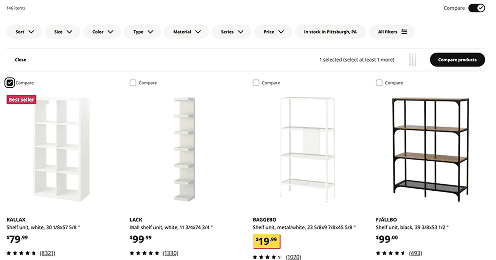
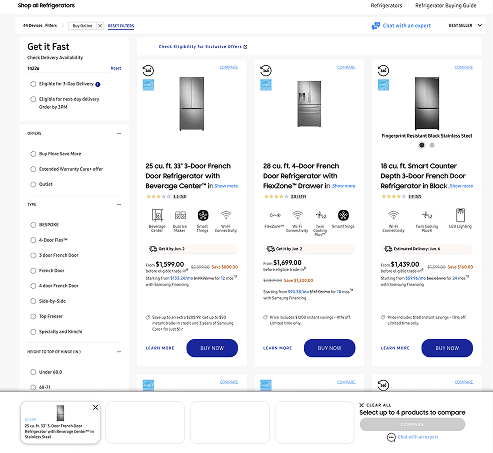
OpportunitySuggest alternatives while a seller is exploring, rather than waiting for them to make more decisions.
The framework
Three things the pattern had to be
Iterative
Enabling better decision-making by continuously refining options, highlighting trade-offs, and uncovering the most effective solution.
Dynamic + in context
Users should be able to interact with options in diverse ways, adapting to evolving needs and contexts.
Conversational
Provides conversational, natural language interactions within the interface, enhancing the product experience and the sales process.
The proposed pattern
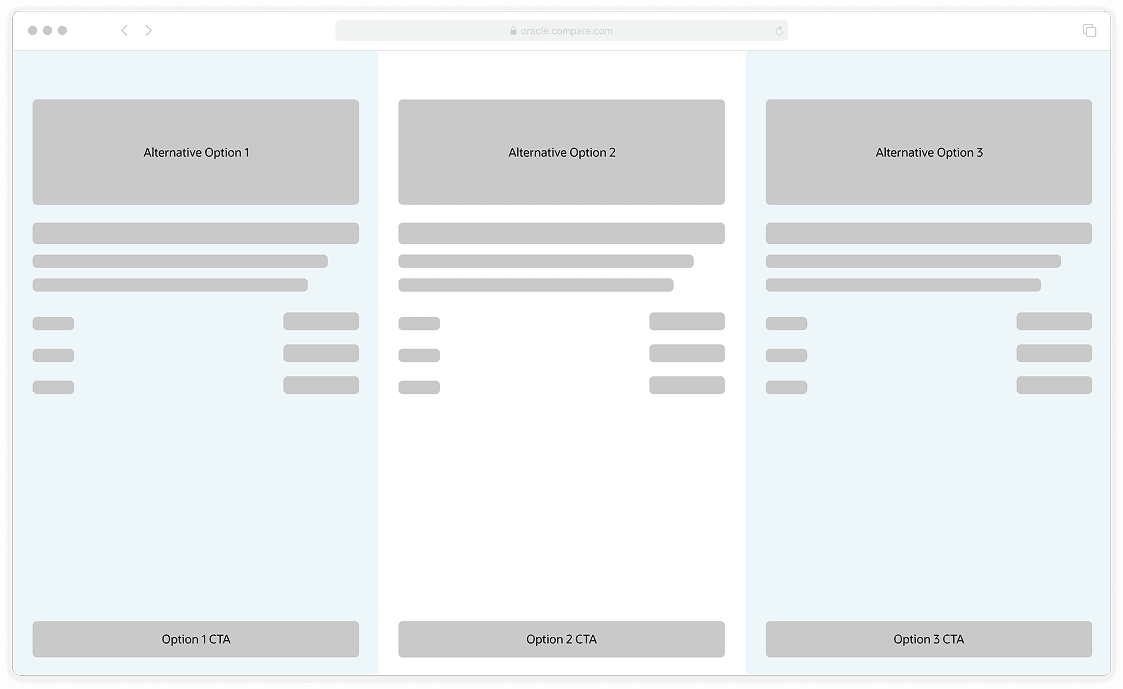
Read down a product. Scan across the set.
Vertically, each option presents its own capabilities and specifications. Horizontally, the same rows line up so similarities and differences read at a glance. Everything else — which medium each attribute uses, how much is shown, where the pattern appears — follows from those two axes.
Requirements
- Vertical unity, horizontal glanceability.
- Summarize the trade-offs between options.
- No wall of text.
- Validate a fit against the buyer's needs, visually.
Signature moment
- Each product measured against the buyer's needs, across the whole set.
Outcome
A pattern, not a screen — and a place it already runs
The work went two ways at once: into Redwood as a comparison pattern other teams can pick up, and into CPQ as the product that proved it against real products, real configurations and real pricing.
Accepted as an affiliate design project to be added to the Redwood Design System. Built and deployed in product demos.
The product · Agentic quoting
Agentic quoting: a seller describes the deal, not the catalogue
The pattern found its product in CPQ. Mapping the quoting workflow showed comparison was not a feature for one screen — between a buyer's requirements and a sent quote, a seller is holding options up against each other five separate times. Designing for that meant designing the whole quote: solutions generated from customer context, configuration held in natural language, and the comparison surfacing itself whenever a choice is actually being made.
- Buyer RequirementsNeeds & budgetA workflow step.
- SolutionsSolution & buyer needsA comparison moment.
- Product ListsSolution & buyer needsA comparison moment.
- ProductsKey features & multiple productsA comparison moment.
- ConfigurationsProduct optionsA comparison moment.
- Pricing ScenariosDiscounts & termsA comparison moment.
- QuotePrepare proposalA workflow step.
The whole flow
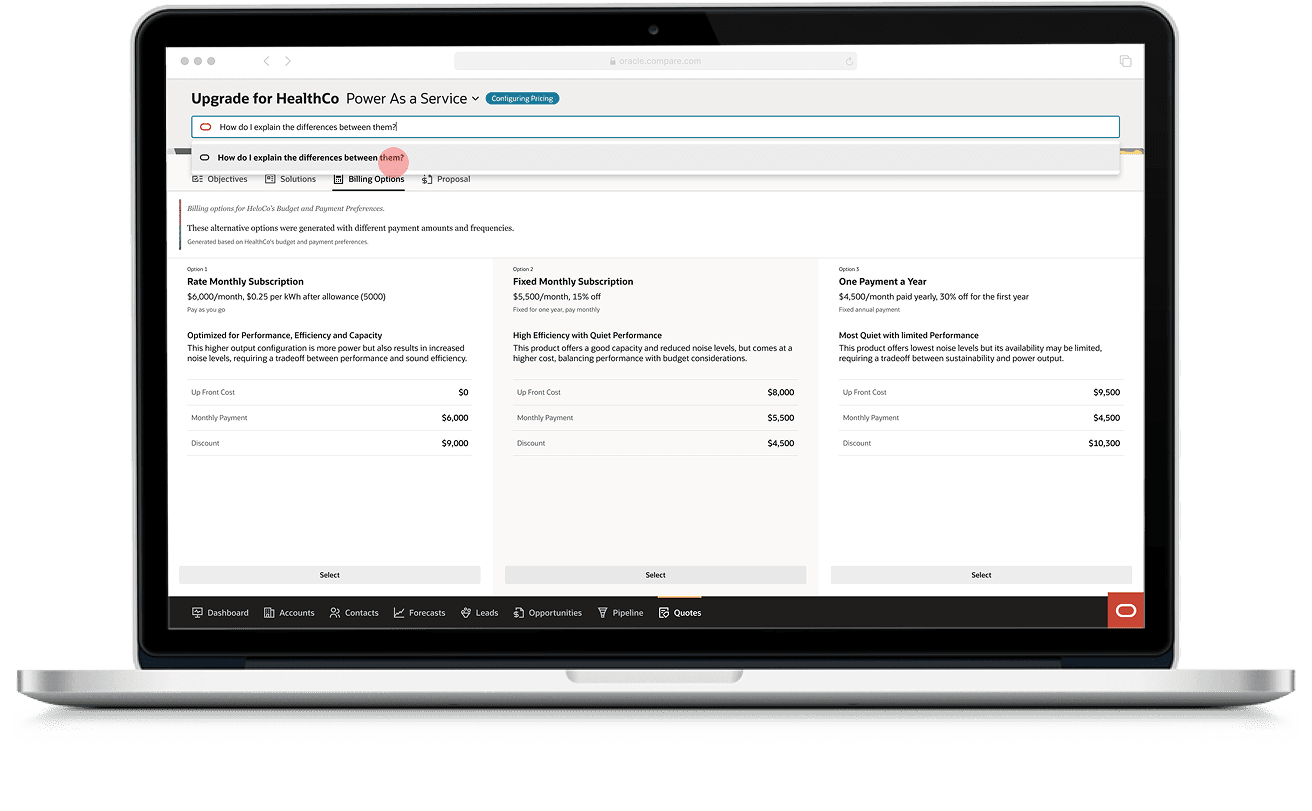
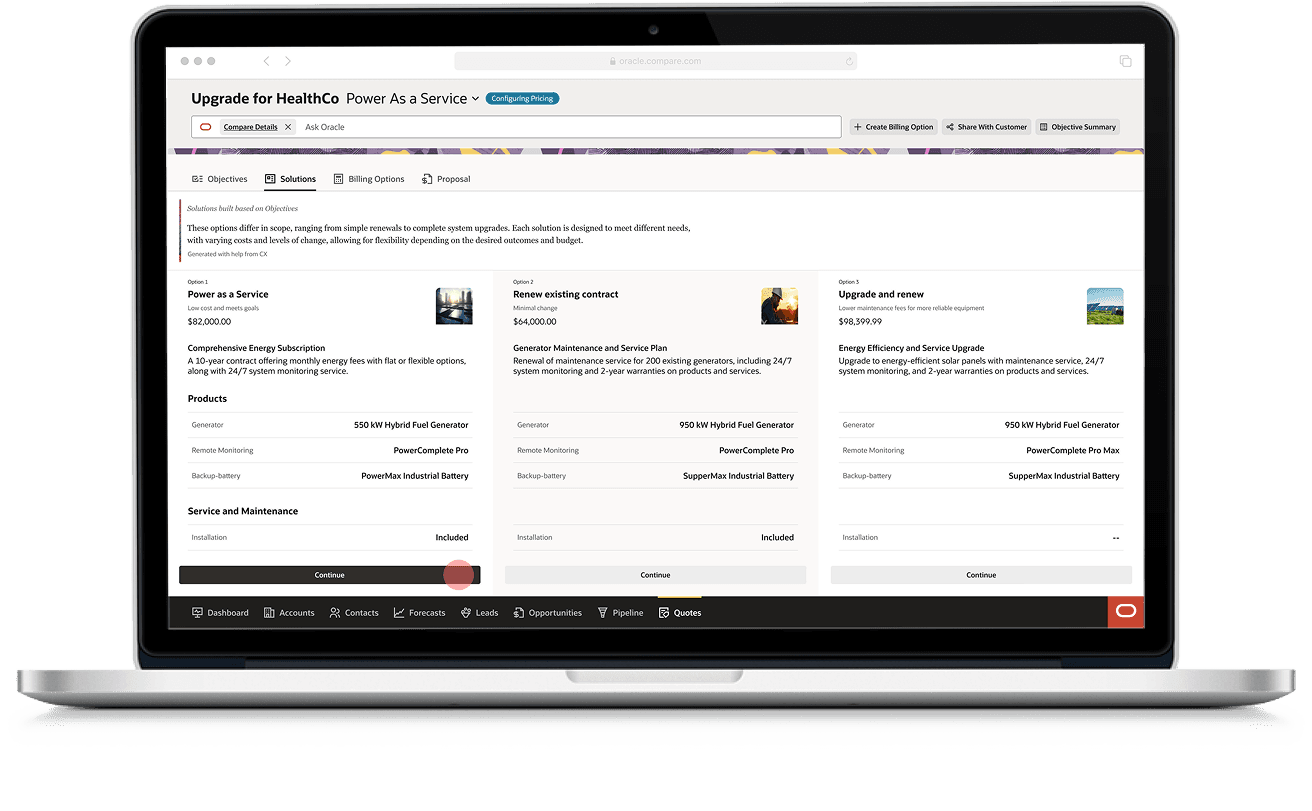
From the alert that says there is enough context to quote, through comparing solutions and configuring one, to the billing terms at the other end.
- 01
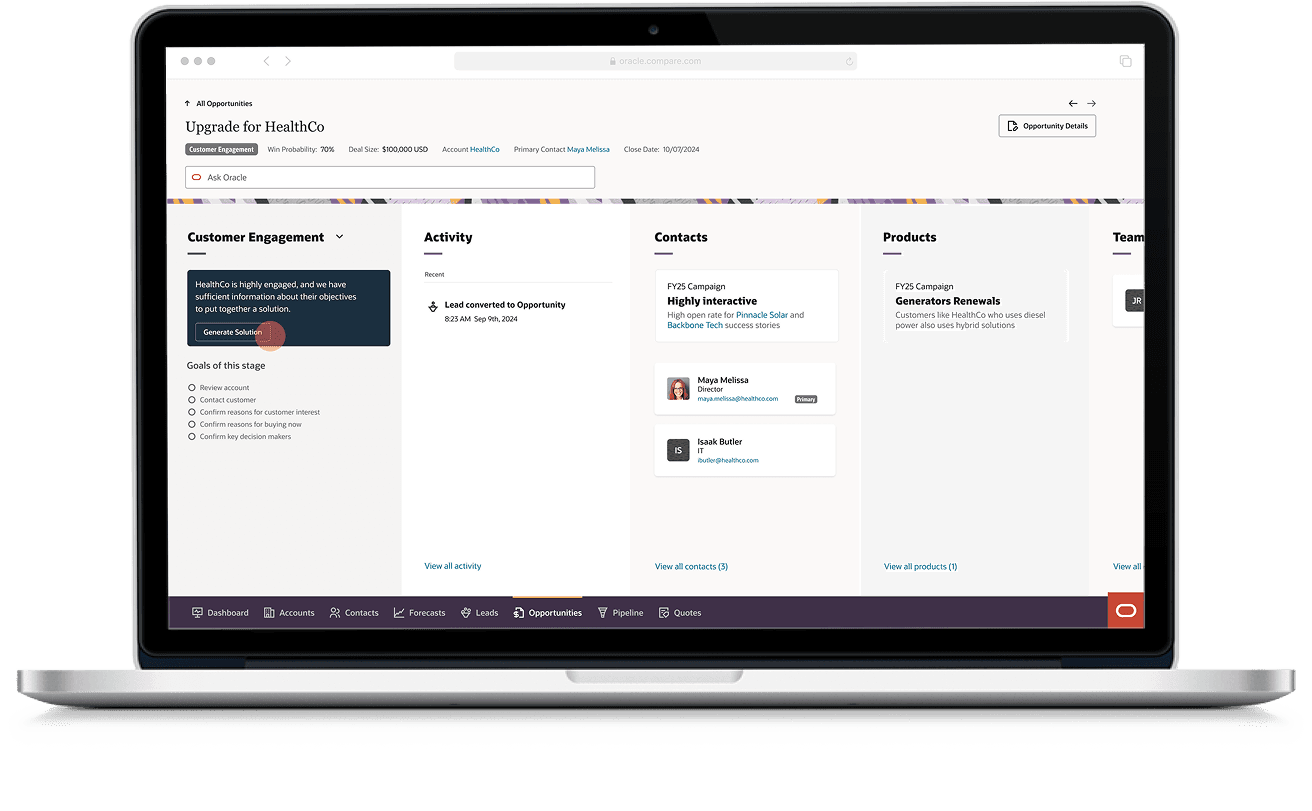
An alert, not a search
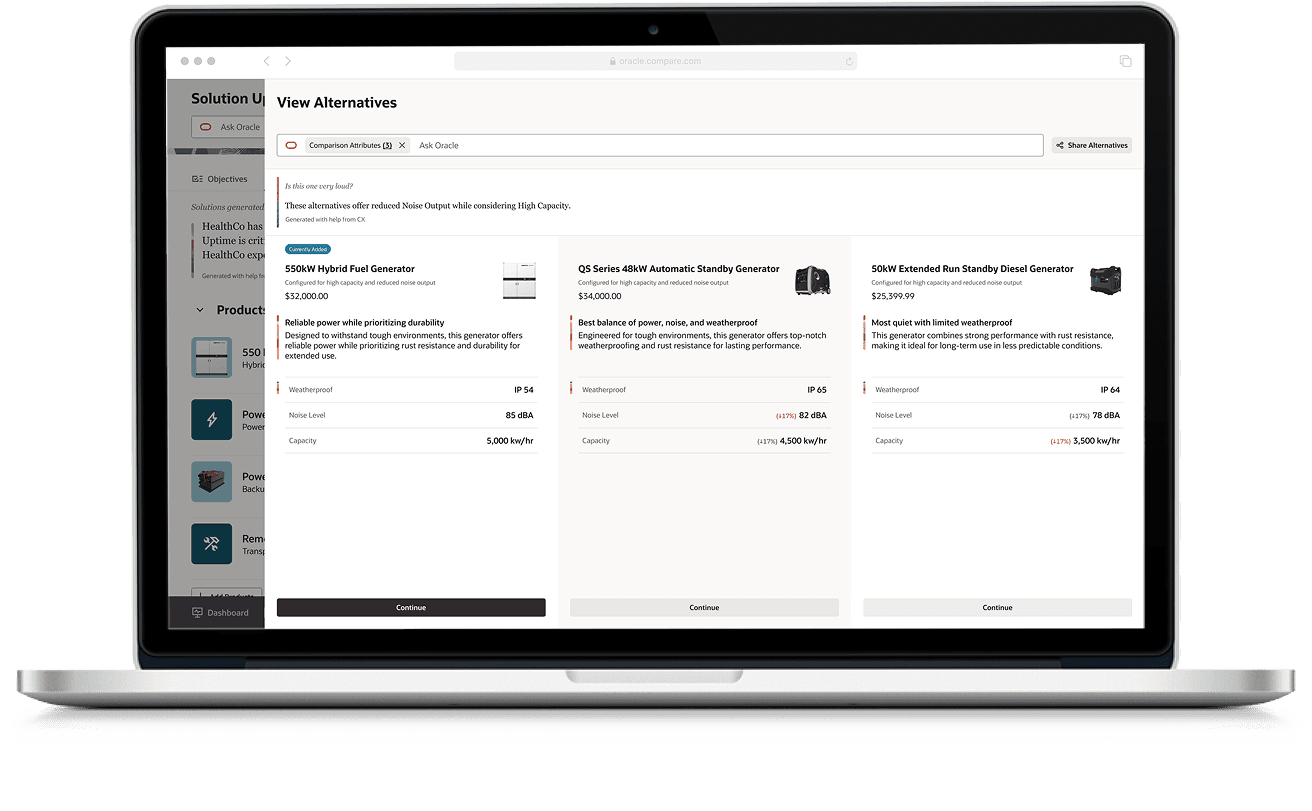
The process begins with an AI alert indicating that sufficient customer context is available to generate an accurate quote. What comes back is not a catalogue but side-by-side solutions, each with the context needed to compare, select, and confidently proceed.
- 02
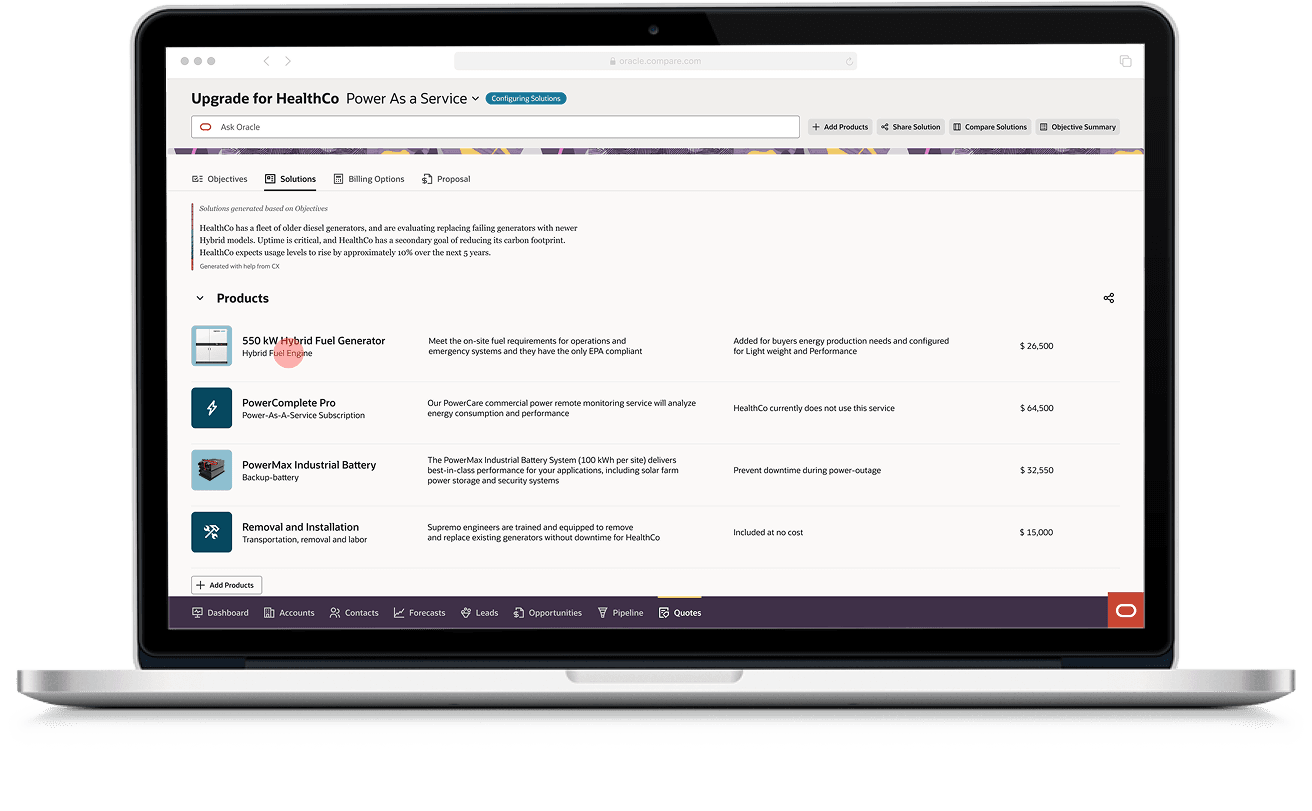
Down into one option
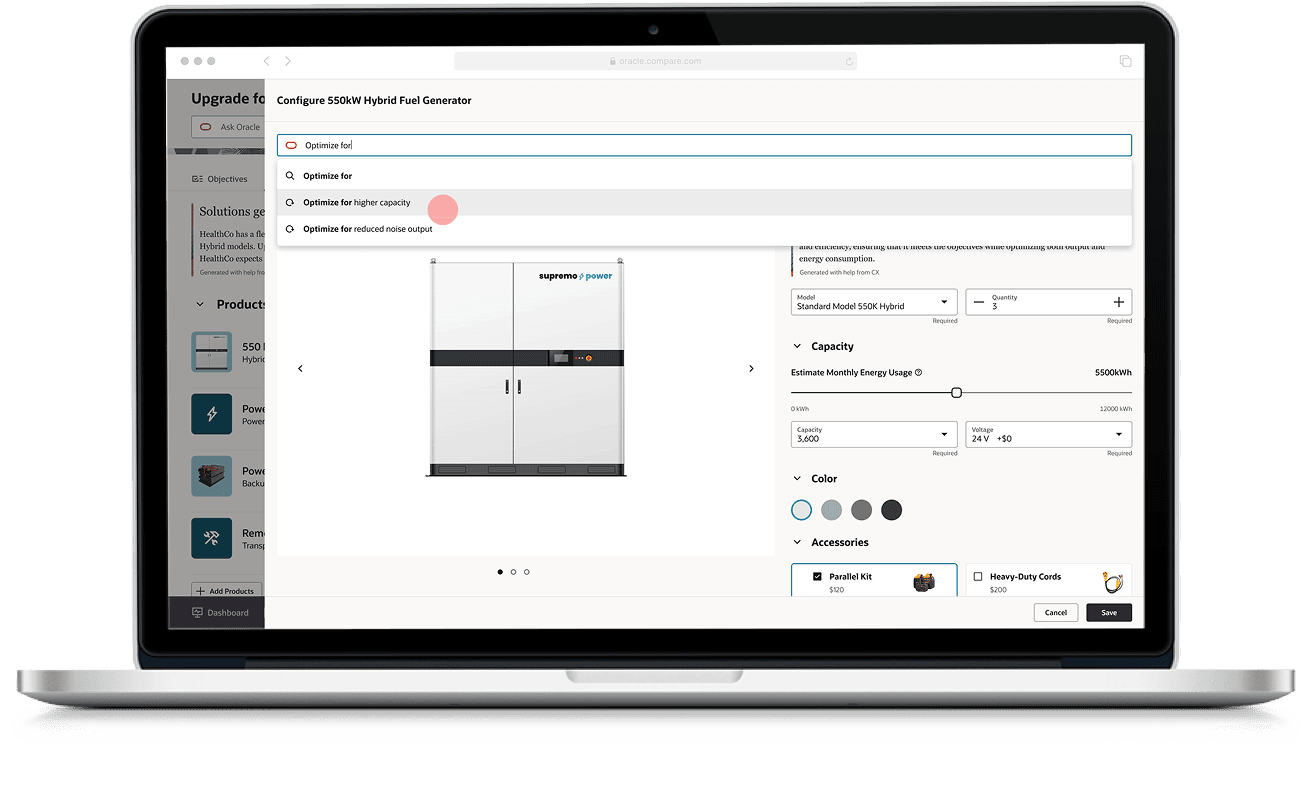
The seller reviews the products inside the chosen solution, then opens one of them. Ask Oracle sits in the same surface as the configurator, taking natural language rather than sending them off to search.
- 03
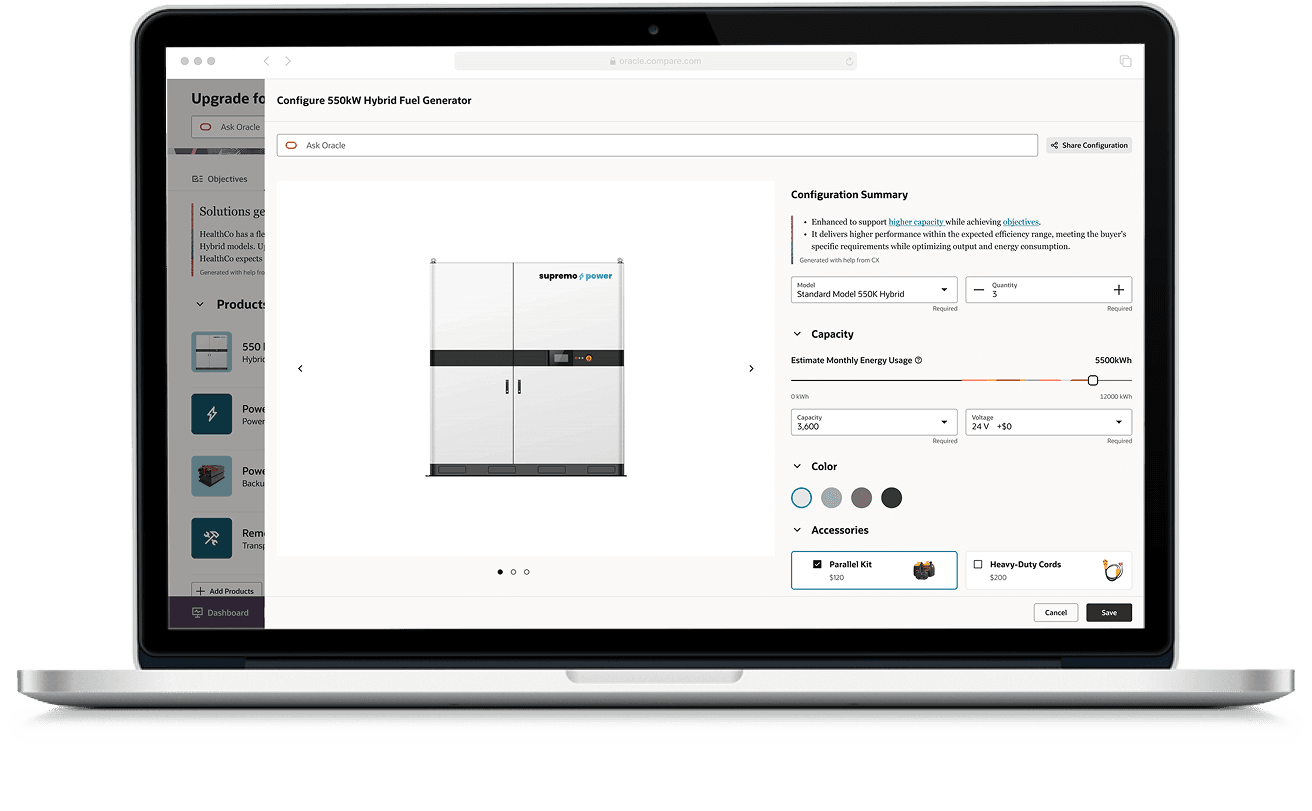
Refine it in conversation
The configuration changes in real time and explains what it did. Follow-up questions are answered from the product documentation, specifications and rules — cited, and in the panel the seller is already in.
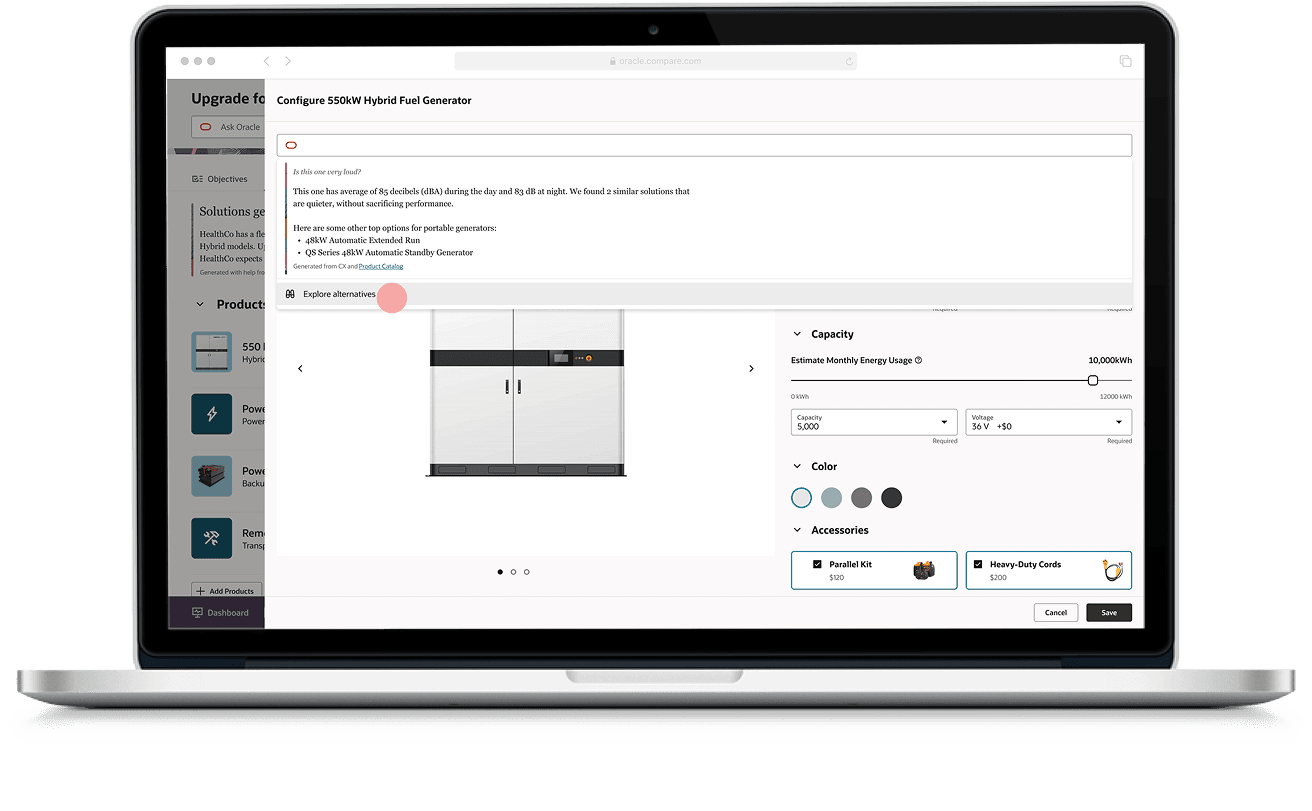
- 04
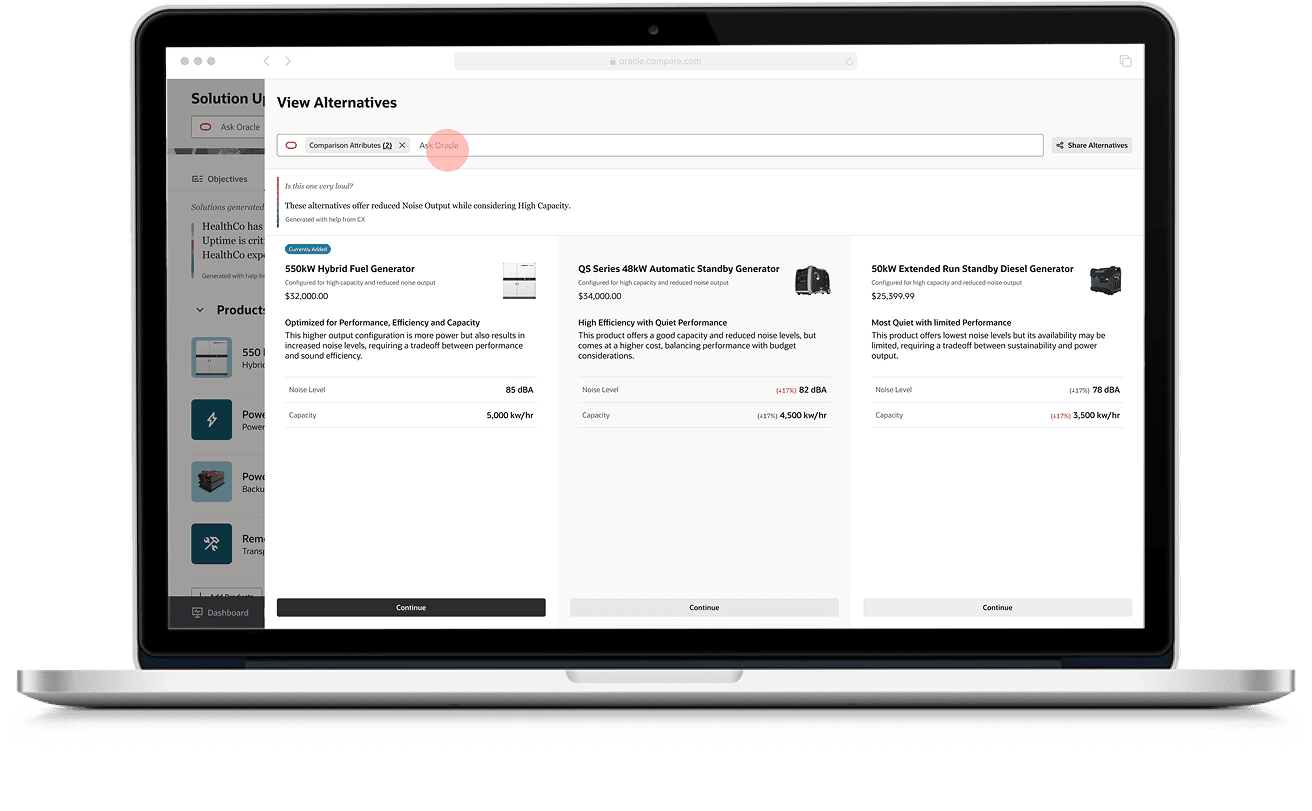
The pattern appears when it is relevant
The comparison surfaces itself at the moment a choice is actually being made, with the attributes that matter to the question asked. Ask it something else and the same three alternatives are re-described against different attributes.
- 05
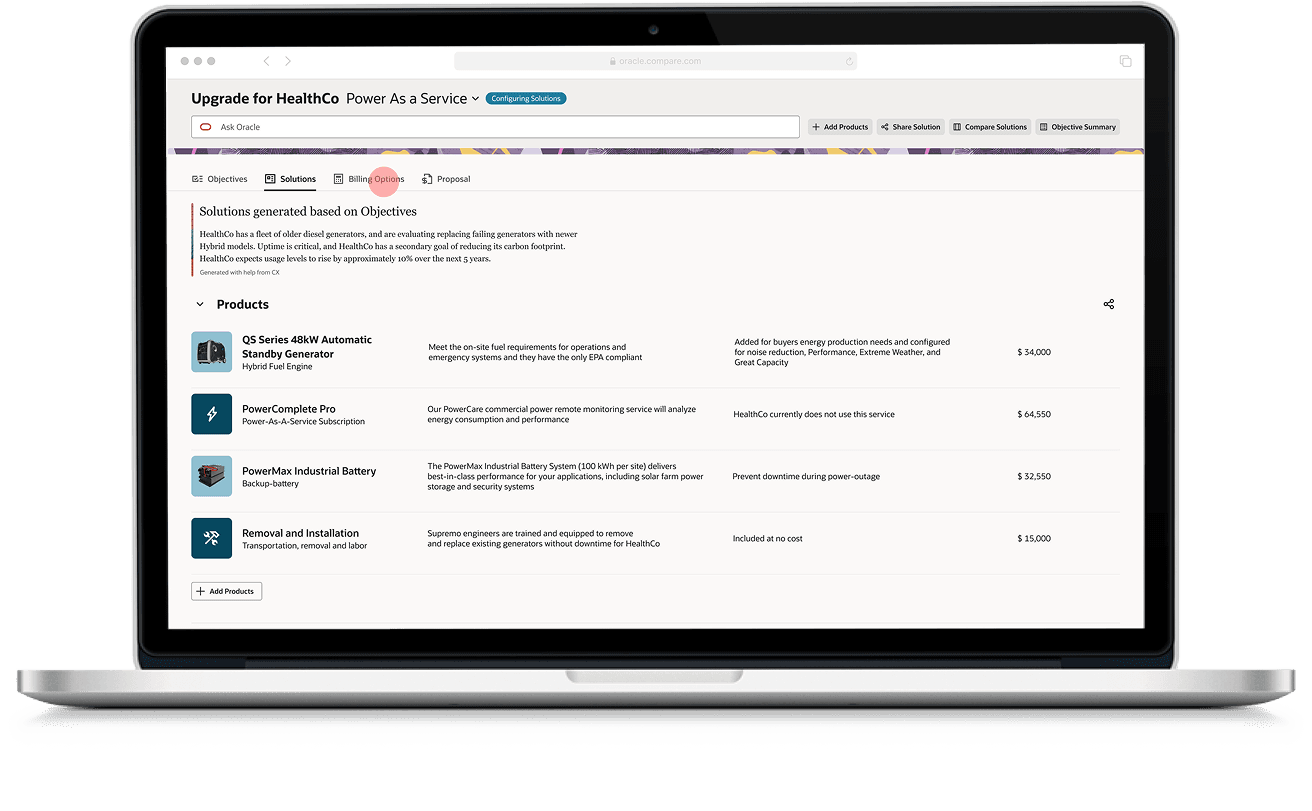
The solution updates
Once the seller chooses, the solution updates with the product they picked and the quote carries on to billing.
- 06
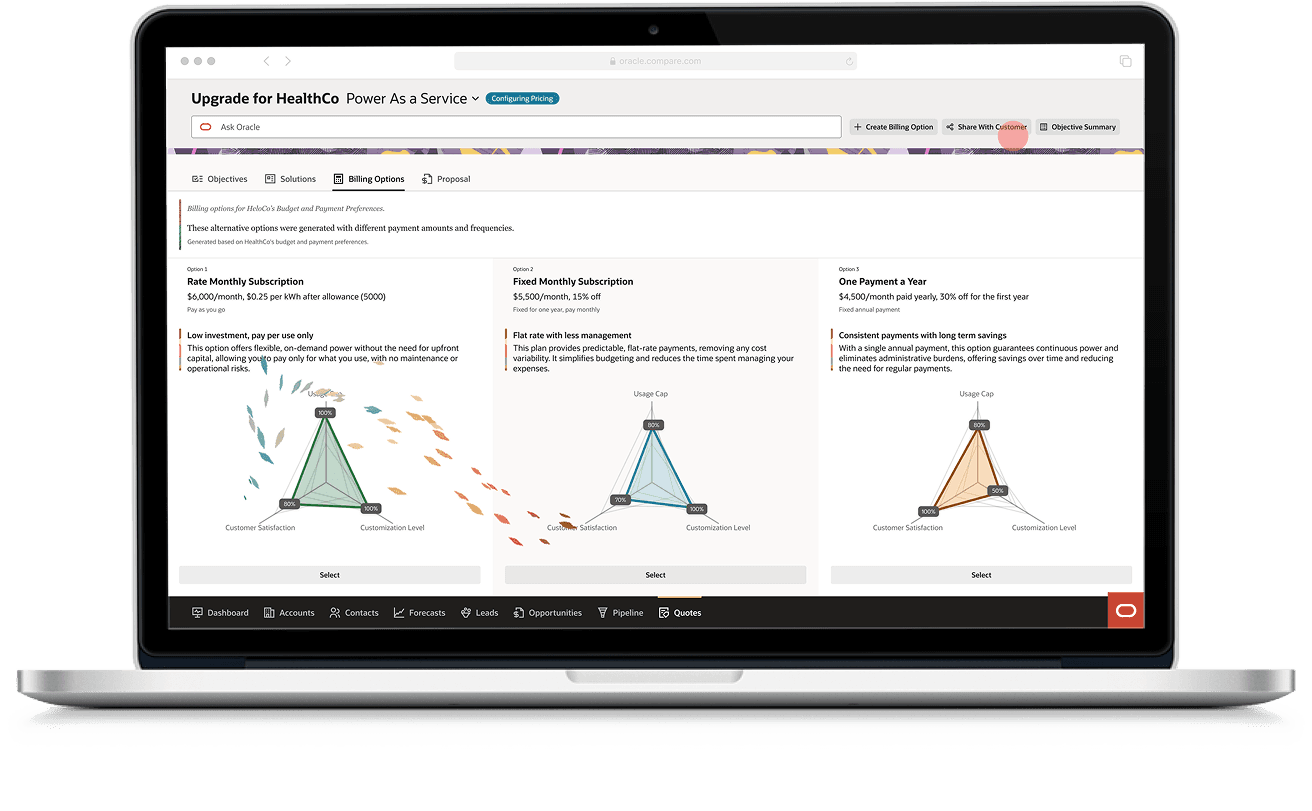
Billing, drafted
Sellers are presented with draft billing options that include contextual pricing and payment details, with natural-language follow-ups to refine the final terms — and the comparison shows up here too, in whichever medium suits the attributes.