Oracle Fusion · Proto Runner
A system for product teams to prototype in the platform and deliver new patterns and solutions

- Loading the Agentic app prototyper plugin
- Using the gather-platform-context skill
- Using the resolve-product-rules skill
- Using the inspect-component-library skill
The plugin is ready. Please upload or share any context about the use case and we'll create an agentic app environment for you to prototype within.
What we built
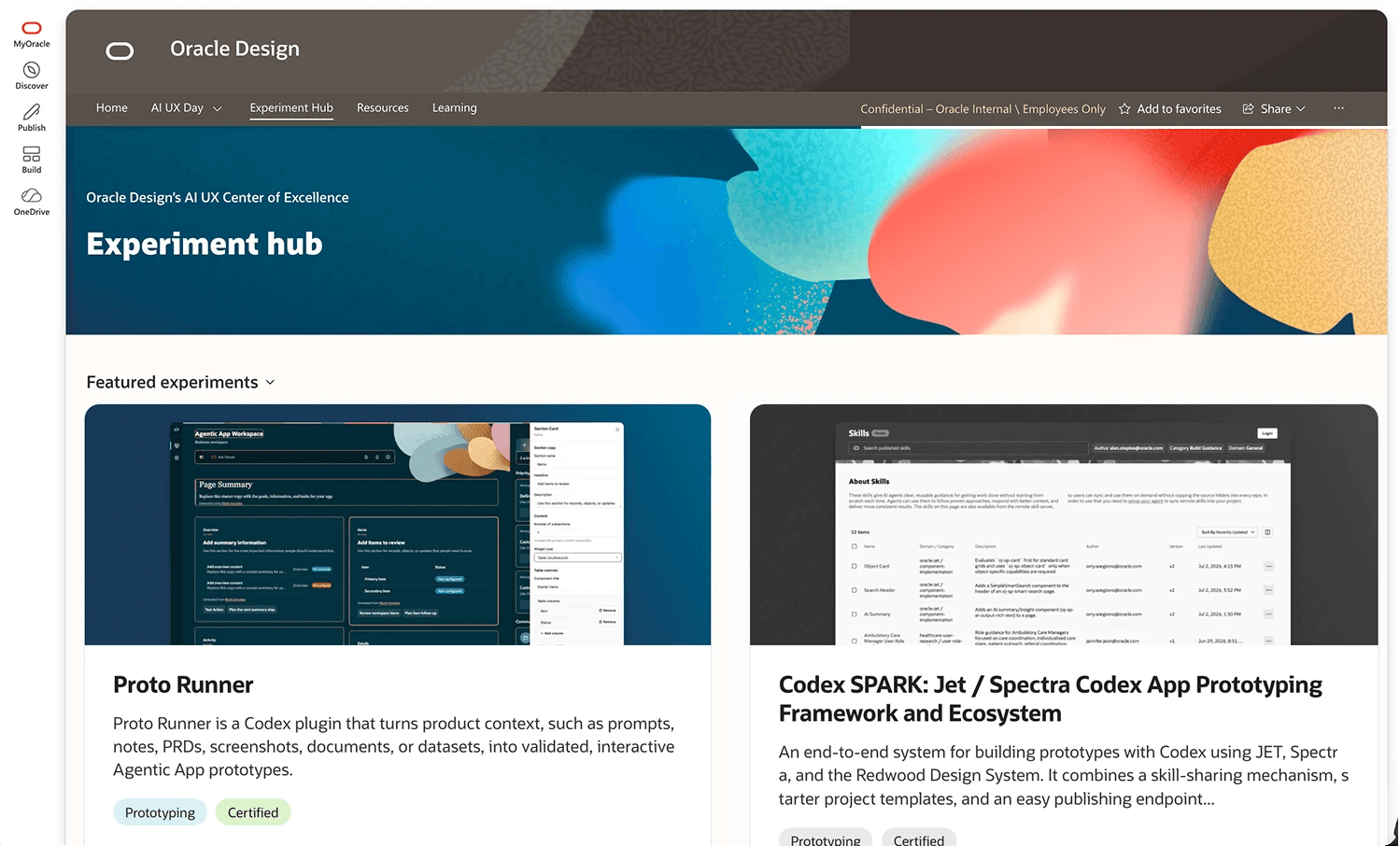
A Codex plugin that turns a prompt, a PRD or a Confluence page into a working, on-system prototype. Product teams prototype inside validated platform patterns, and designers bring coded, responsive proposals that are easier to ship.
Impact
100+ internal users within two weeks of release.
The problem
Everyone was prototyping with AI. Nothing looked like the product.
Off-platform
Vibe-coded prototypes ignored what the platform can actually do and how it behaves.
No visual parity
None of them looked like the product, and designers were left to clean up.
Design sidelined
Design got reduced to visuals, not the problem, the solution, or how the product works for a person.
The goal
One place the whole product team can prototype in, true to the platform, fully wired, and built from the components shipping in that release.
How it works
What you get in the browser
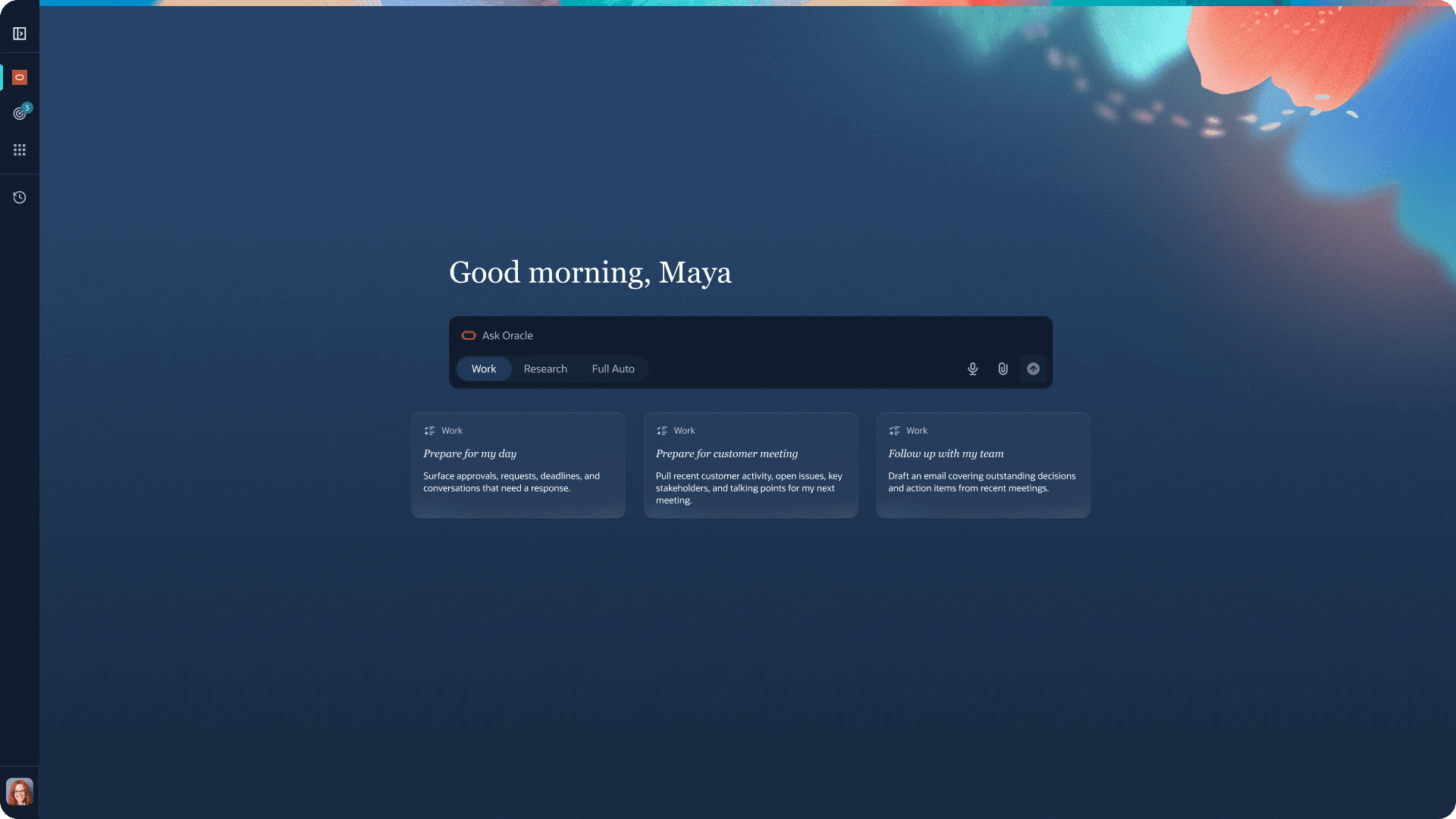
Proto Runner builds it in Codex from your PRD. Everything after that happens in the browser.
- 01
Ask in Codex
Point the plugin at a PRD, a Confluence page or a prompt. It reads the platform's context, resolves the product rules and inspects the component library before it writes anything — then builds the environment.
- 02
Open it in the browser
A working prototype, not a picture of one: real content, approved components, responsive, and every click path already wired — because the runtime was built before the agent ever ran.
- 03
Author it, then share it
Turn on the pencil and every editable region outlines. Change one in the panel and each save is a new revision. Write the agent's replies to build a flow for the demo, then publish a viewer-only copy for colleagues to review.
Impact
Show the behavior, not the screen
Product teams can rapidly prototype and iterate within the validated platform capabilities and patterns, and designers can bring coded, responsive proposals about how the product works, not just how it looks. Because they're built in-system, they're meant to be easier to ship.
100+ internal users within 2 weeks of release.
The foundation
Reference the platform, don't regenerate it
Before any agent work, we built the foundation the agent stands on: a coded component library and a runtime. Instead of pages of rules describing how components look and how the platform behaves, both already exist as code. The agent writes content, and the real foundation renders it. Below is one page from that library, running — take it apart.
Why a coded component library?
Generating UI on every ask drifts from the design, burns tokens and varies run to run. Referencing real components keeps every prototype on-system, for less.
A coded runtime we can reference
Rather than write rules for how the platform works, we built it, so each prototype starts as a working piece of the platform, not a mockup of one. That saves compute for generating content and selecting the right components.
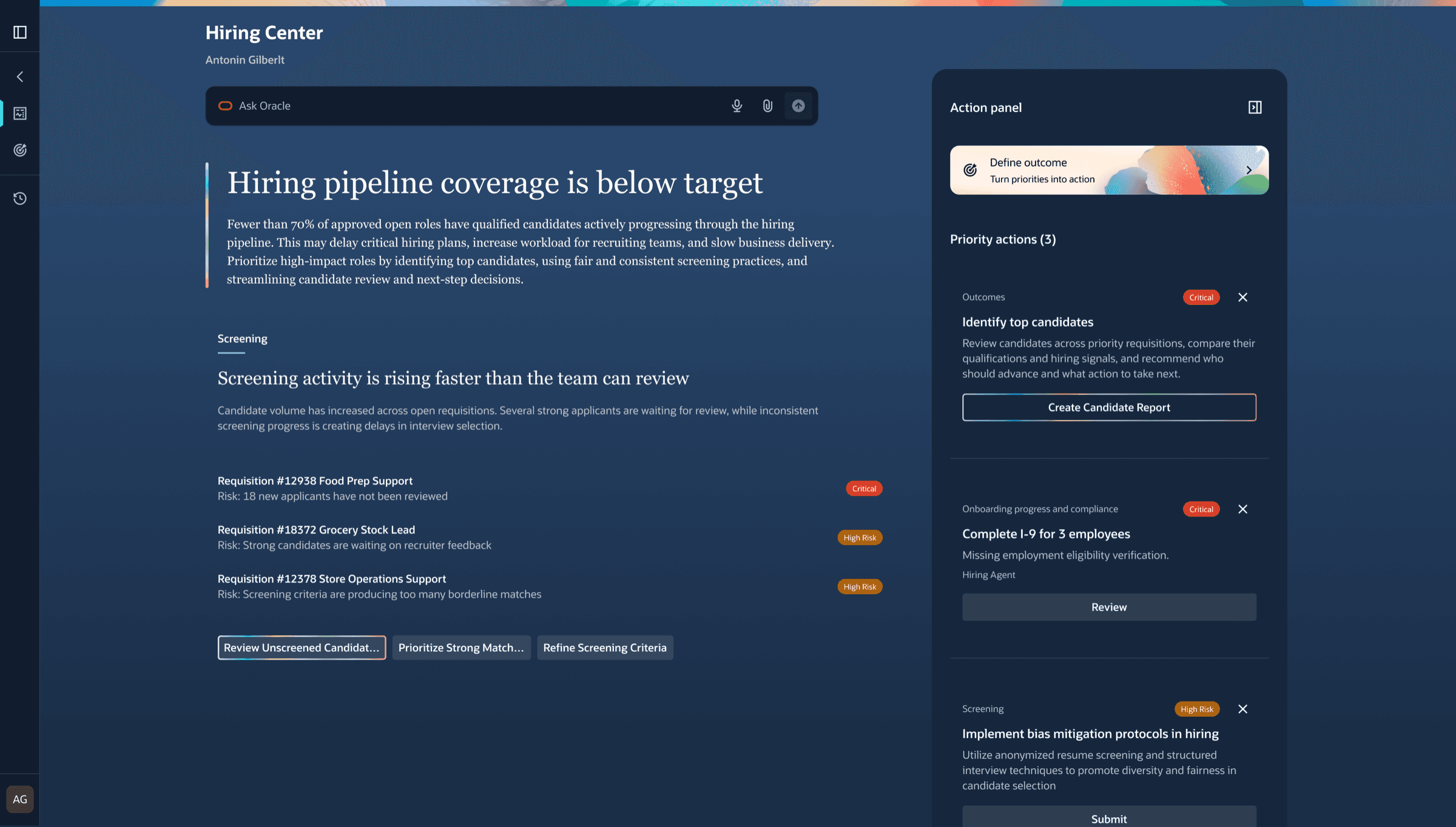
hiring-center.page.tsx
<AppPage app="Hiring Center">
  <PageSummary
    headline="Hiring pipeline coverage is below target"
    sources={["Requisitions", "Screening"]}
  />

  <Section name="Screening" widget="list">
    <Record title="#12938 Food Prep Support" risk="Critical" />
    <Record title="#18372 Grocery Stock Lead" risk="High" />
  </Section>

  {/* Action panel, follow-ups */}
</AppPage>
Architecture
A plugin of focused skills
Seven skills, each with one job, running in order. Five of them reach into the foundation — the library for what exists, the runtime for how the platform behaves.
- 01
gather-platform-contextReads the runtime's schema: what the platform already is.
Touches the runtime. - 02
resolve-product-rulesLoads design.md and the component rules before anything is chosen.
- 03
inspect-component-libraryIndexes what Storybook has marked approved and available.
Touches the component library. - 04
match-components-to-intentPicks the template and components the use case calls for.
Touches the component library. - 05
generate-contentWrites product content into a validated JSON model. No UI code.
- 06
scaffold-prototypeHands the model to the runtime and wires the project.
Touches the runtime. - 07
open-local-previewServes it locally; the runtime renders the real components.
Touches the runtime.
The context it reads
Before choosing anything, the skills read design.md for how a prototype should look and behave, and the component rules for which part of the library fits each use case.
Context
design.md
Principles
- Compose from the library. Never write new UI.
- Start from the page template closest to the task.
- One primary action per view.
- Wire every touch point. No dead ends in a demo.
Content
- Plain, specific language, in the product's voice.
- Realistic data from the use case, never lorem ipsum.
Layout
- Spacing and color come from tokens only.
- Responsive by default: check narrow widths before preview.
Iteration
What we learned in the process
- 01
Split the big skill
One skill worked, but when something broke there was no telling where. Focused skills mean every fix lands in exactly one place.
- 02
The library drifted
The first version went stale fast. The library became versioned and pinned.
- 03
“I can't share this”
Users wanted colleagues to see their work, so hosting and share-out were added.
- 04
Stricter templates ✓
Tighter page controls and templates in Storybook made generation far more consistent.
Next steps
From using the system to growing it
The same tokens and foundations that keep prototypes on-system can generate what the system doesn't have yet: new components and new patterns, proposed back to the platform.
- 01
Generate from tokens
When a use case needs something the library doesn't have, the agent builds it from the same tokens and foundations, so it's on-system from the first render.
- 02
Prove it in the platform
The new component runs in the runtime next to approved ones, responsive and wired, and is flagged as proposed rather than approved.
- 03
Propose it back
Design brings a coded, working proposal to review. Once approved, it joins the library for every team, and engineering starts from code instead of a picture.