Fall 2026 · Job Radar
A tool to work with every day, so I don't have to go hunting for jobs
Try it
What it is
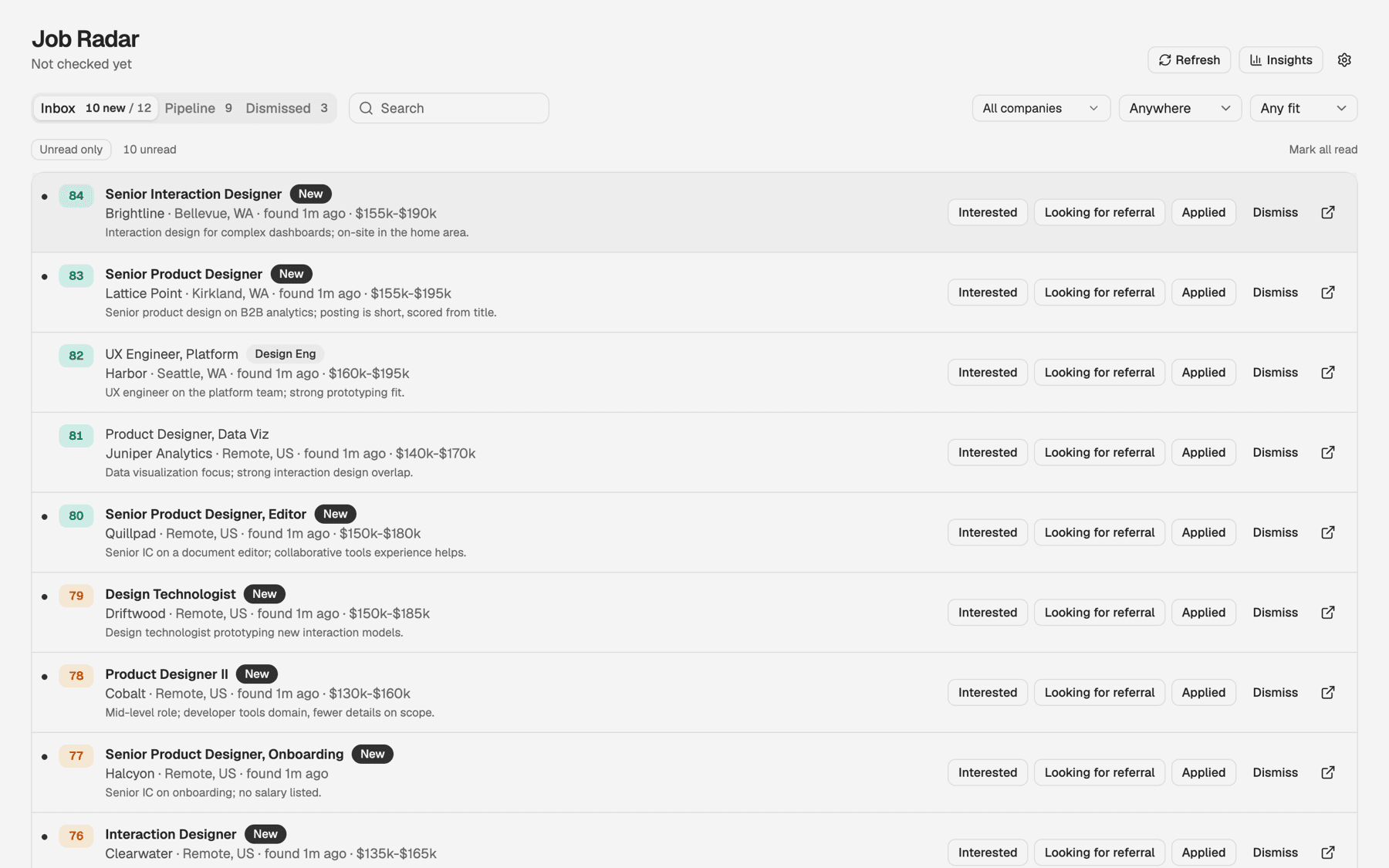
The Refresh button kicks off a Claude routine that goes out to the careers pages of the companies I'm interested in, looks for the roles I want, and runs a LinkedIn search as a catch-all backup.
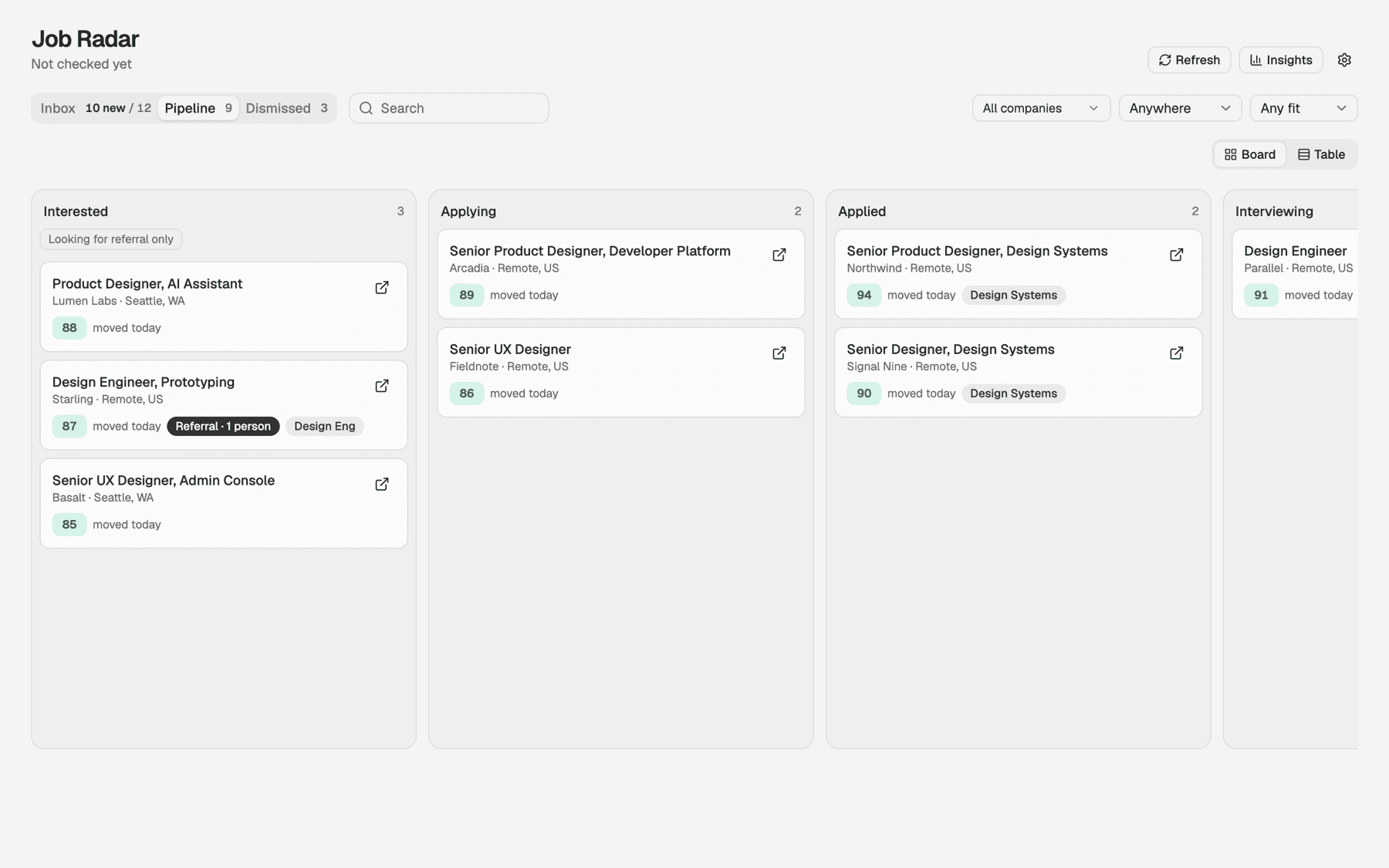
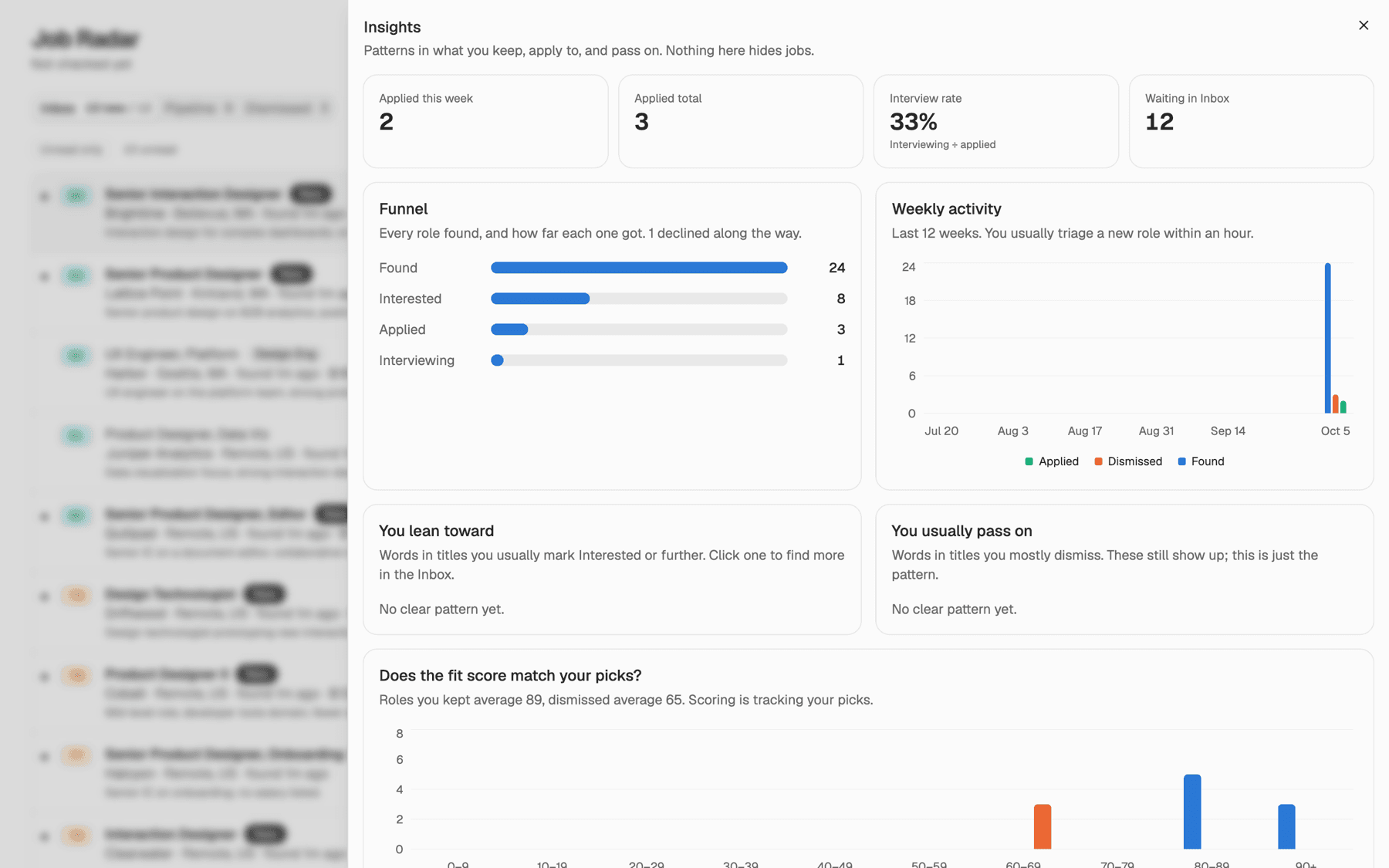
It scores each new role against my background and fills an inbox. From there I sort through it, switch between views, and when I come across a good fit, I kick off the application process, starting by moving the role into Interested.
Install it for yourself
Setup takes about 10 minutes. You need a Mac or Linux machine and Claude Code, either the Code tab in the Claude desktop app or the claude CLI.
- 1
Install Node 24+ and pnpm
Download Node from nodejs.org, then turn on pnpm.
corepack enable - 2
Clone the repo
Or paste the repo link into Claude Code and say “clone this repo.”
git clone https://github.com/jgiambrajr-stack/Job-Radar.git - 3
Open the folder in Claude Code
In the desktop app, choose the Job-Radar folder. In a terminal, run claude inside it.
- 4
Say “set up Job Radar”
Claude installs everything, then interviews you: your background, the titles you want and the ones to skip, your level, locations, and the companies to track. It writes your config and runs the first scan.
- 5
Open the dashboard
It opens at localhost:4321. On a Mac you can also double-click Job Radar.command.
pnpm today - 6
Optional: refresh on a schedule
Ask Claude to create the Job Radar daily scheduled task, so new roles are waiting when you sit down. For LinkedIn, connect Claude in Chrome in a window where you're logged in.
Prefer to set it up by hand? The README covers setup without an agent.
Discussion
Talk about it
Using it in your own search? Share an idea, a bug, or a job board you want supported.